
AION 2 character presets
The global creator has a Preset tab, the first of its five tabs. Sharing a finished look with other players is a separate thing: the Korean version does it through an in-game Style Shop, where applying someone else’s face costs Quna. NC has not said whether global launches with the Style Shop, so read everything below the picture as the Korean system.
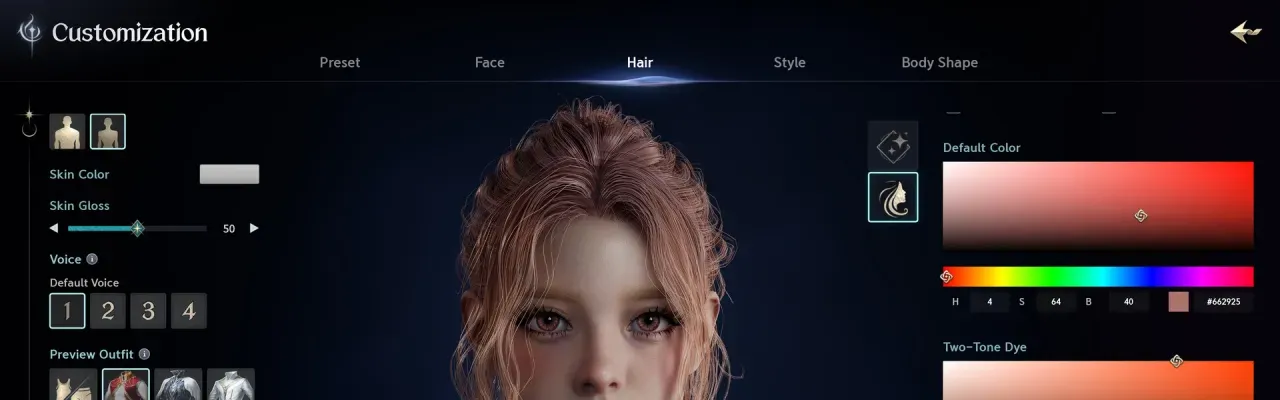
What the Preset tab holds is not shown in the Steam screenshots. Everything else in the creator is on the character creation page.
How sharing works in the Korean version
- Save the look on PC. From the menu, open Snapshot and tick the box that includes customization data. The file is saved to a folder on your PC; snapshots with customization data can only be taken on PC.
- Upload it. Open Customization, then Style Shop, and register the snapshot. There is no limit on uploading.
- Others download it. A player picks your style and downloads it into one of their download slots. The shop shows the most popular styles for a chosen period, everything by newest, and favourites.
- Apply it. In Customization, Appearance management loads the downloaded style onto a character. Applying costs Quna at a fixed price the uploader cannot change, and the uploader receives a share of the fee.
Two limits catch people out. A downloaded style can only be adjusted for body shape and voice, and it cannot be uploaded again as your own. And NC restricts looks that are sexually offensive, discriminatory, defamatory, or that infringe someone’s trademark, copyright or likeness, which covers lookalikes of real people; making and spreading such looks can bring sanctions.
What is not known for global
- No English notice from NC mentions the Style Shop, snapshot uploads or preset files.
- Quna exists in the global version as the premium currency, but no price or currency for sharing looks has been announced. What Quna is and how you get it is on Kinah and Quna.
- Nothing official says whether looks made in the Korean or Taiwanese clients can be brought over. The Taiwan and Korea versions page covers how the services differ.
Until NC says more, build your face by hand and keep screenshots of the sliders you care about, so you can rebuild it on another character. During the Launch Scale Test, characters under level 10 could not use appearance change tickets; NC has not said whether that carries over.