
AION 2 beginner guide: your first day
Your first day in AION 2 starts with four choices, some of them hard to undo: launcher, region, faction and class. After that come a few hours of story quests, mostly played alone, in which the game teaches flight, auto-movement and its growth boards. Take them in this order.
Before you log in
- Install from Steam or PURPLE. The game needs 100 GB of space and Windows. Early Access pre-download opens at 6:00 AM PDT on 28 September. If you played the Launch Scale Test on Steam, that was a separate Playtest app: uninstall it and download AION 2 itself. How the two launchers differ is on Steam or PURPLE, and the install steps are on download and install.
- Pick your region. Servers are in North America, South America, Europe and Japan. Party matching for dungeons stays inside a region, so play where your friends and your ping are. Regions and servers has the details.
- Pick a faction, with your group. Elyos and Asmodians are on separate servers and only meet in the Abyss. See Elyos or Asmodian.
- Pick a class, then claim pack items. There are eight. If you bought a Founder’s Pack, hold the character-bound items until you are sure of the class; they stay with whoever claims them. Help choosing: best class for new players.
- Make the character. Over 200 options, and in the Launch Scale Test appearance change tickets did not work below level 10. NC has not said whether that carries over, so plan to wear what you make for the first levels. Walkthrough on character creation.
Your first hours in the game
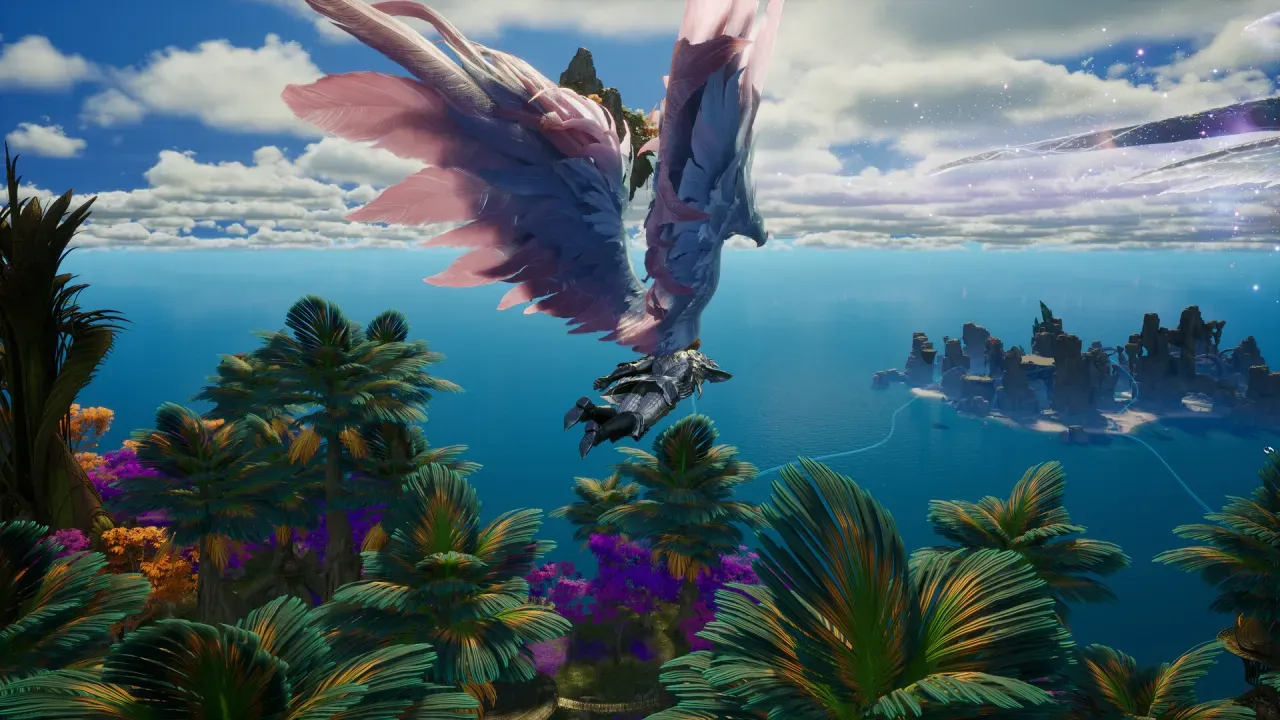
The controls and systems below come from NC’s Korean game guide. The global client is the same game, and Launch Scale Test players describe the same default keys, but NC has not published an English controls guide yet.
- Follow the story quests. Episode quests carry the story and pay experience and currency; the quest journal opens with J. Clicking a quest, or pressing Alt plus its number, sets your character walking to the objective on its own and stops when it arrives. You can ignore it and steer yourself.
- Learn the two ways to fly. V starts and stops flight; flying steers like walking, and you can fight and gather in the air. Space, pressed in the air, switches to gliding, a slow descent; hold W to glide faster. Shift gives a burst of speed in either. Flying and gliding share one cooldown and both drain a flight gauge, and when it empties you drop to the ground. Switching between flying and gliding does not trigger the cooldown.
- Use wind paths and updrafts. At certain spots, flying, gliding or jumping puts you on a wind path that carries you along without using flight gauge. An updraft throws you high into the sky, and you glide from there to where you want to go.
- Choose a control style. The default mode aims with the mouse and moves with WASD, with the cursor hidden until you press Alt or open a window. A click-to-move mode, called AION1 mode, switches on with the / key.
- Open your Daevanion board when it unlocks. Daevanion is a grid of nodes that raise combat stats and skill levels, paid for with points from quests and achievements; each new node must sit next to one you already have. In the Korean version the first board opens at level 12. Which boards the global version keeps is not confirmed. More in the leveling guide.
- Do not fear dying. In the Korean version death costs no experience and no items. You can revive on the spot with a Resurrection Spiritstone, or for free at the nearest revival point; after 15 minutes the game picks the free option for you.
Money and trading on day one
Trading between players goes through the Market, in Kina. Direct trades are switched off:
“As an anti-bot measure, direct player-to-player trades are disabled. The Market remains our central hub for trading between players.”
(From Steam announcement: Launch Scale Test Comes to a Close: What's Next?)
Without a membership you can list items for sale but not buy. Every Founder’s Pack includes 30 days of membership, and the 30 days start when you press activate, not when you buy, so activate it on a day you will play. The rest is on membership cost and Kinah and Quna.
What Launch Scale Test players tripped over
“I also dont understand why there is 2 forms of flying... press space when in the air, you glide, press V and you can fly (up down)”
(From r/Aion2 thread: first impressions from the Launch Scale Test)
“The biggest con for me is that you basically can’t play with friends. At least not initially. Like every single quest is instanced”
(From r/MMORPG thread: I thought I'd hate Aion 2, but I had a ton of fun playing it)
Both have simple answers. Flight (V) is for climbing and going somewhere; gliding (Space) is for coming down slowly, and the flight gauge is why neither lasts forever. For the story, plan on playing it solo and meeting friends in dungeons, where party matching works across servers in your region.